What's New in v0.4.1
Saved Sync Configurations
Name and save your sync setups so you never have to reconfigure from scratch. Pick a saved sync from the dropdown and your source folder, destination, direction, and filter settings are instantly restored. Perfect for recurring backups like "Photos to Mac" or "Music to Device".
Root / Button in Breadcrumb
List and grid views now show a / button at the start of the breadcrumb, matching the existing column view behavior. One click takes you to the raw filesystem root — useful for exploring outside internal storage.
Internal Storage Detection Fixes
Several improvements for devices where internal storage wasn't correctly detected:
- The "Internal storage" breadcrumb button now navigates to the device's actual detected storage root instead of always assuming
/storage/emulated/0 - Added
/mnt/user/0/primaryas a fallback detection path for MIUI and Android 12+ devices - When internal storage is detected but inaccessible, a clear error message now explains the issue (e.g. wrong USB mode or ADB permissions) instead of silently showing an empty file list
Other Fixes
- Improved sync dialog layout and consistency
- Improved Intel Mac compatibility with build verification
Screenshots
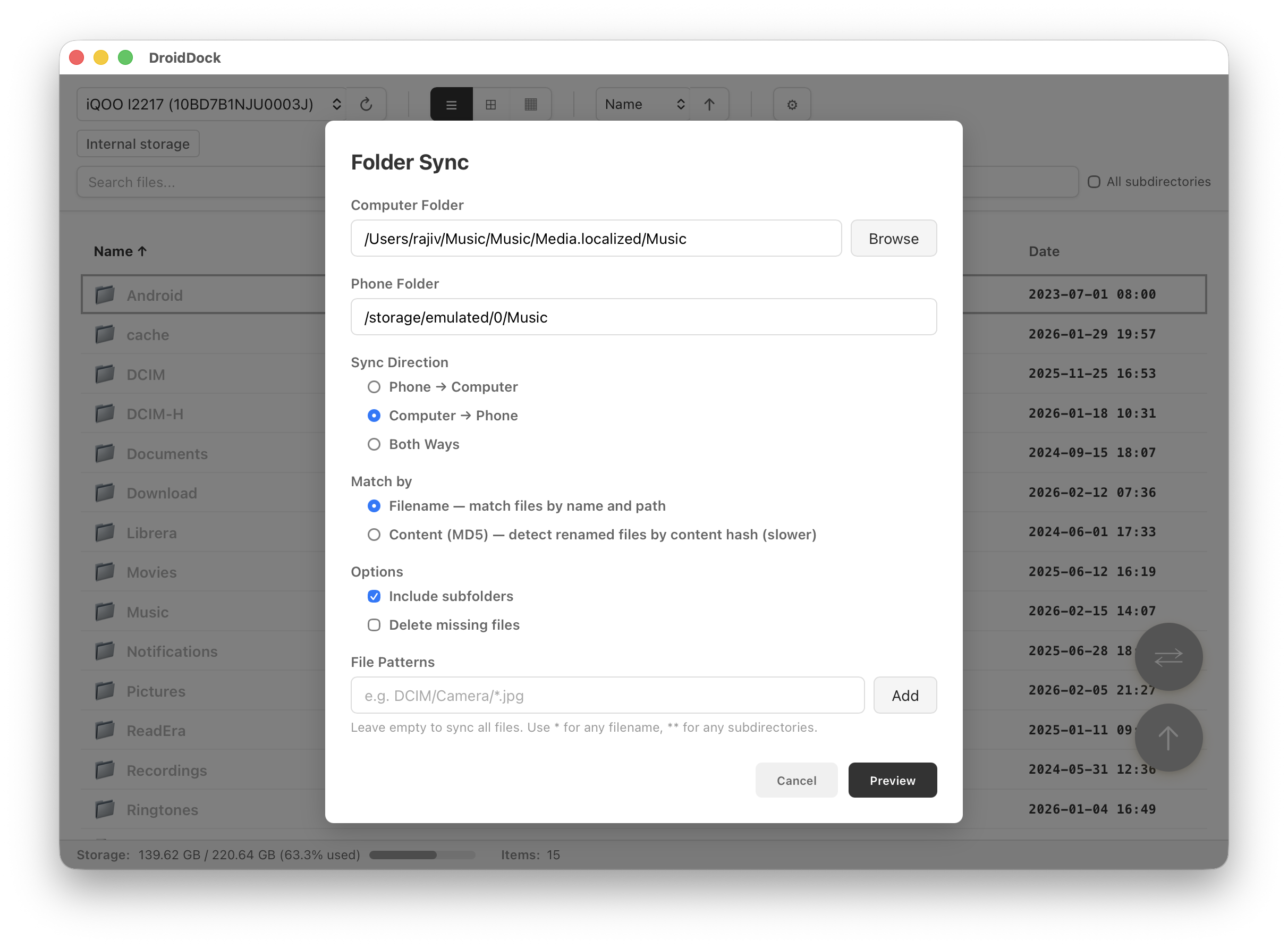
Folder Sync
Configure and run folder sync between Mac and Android
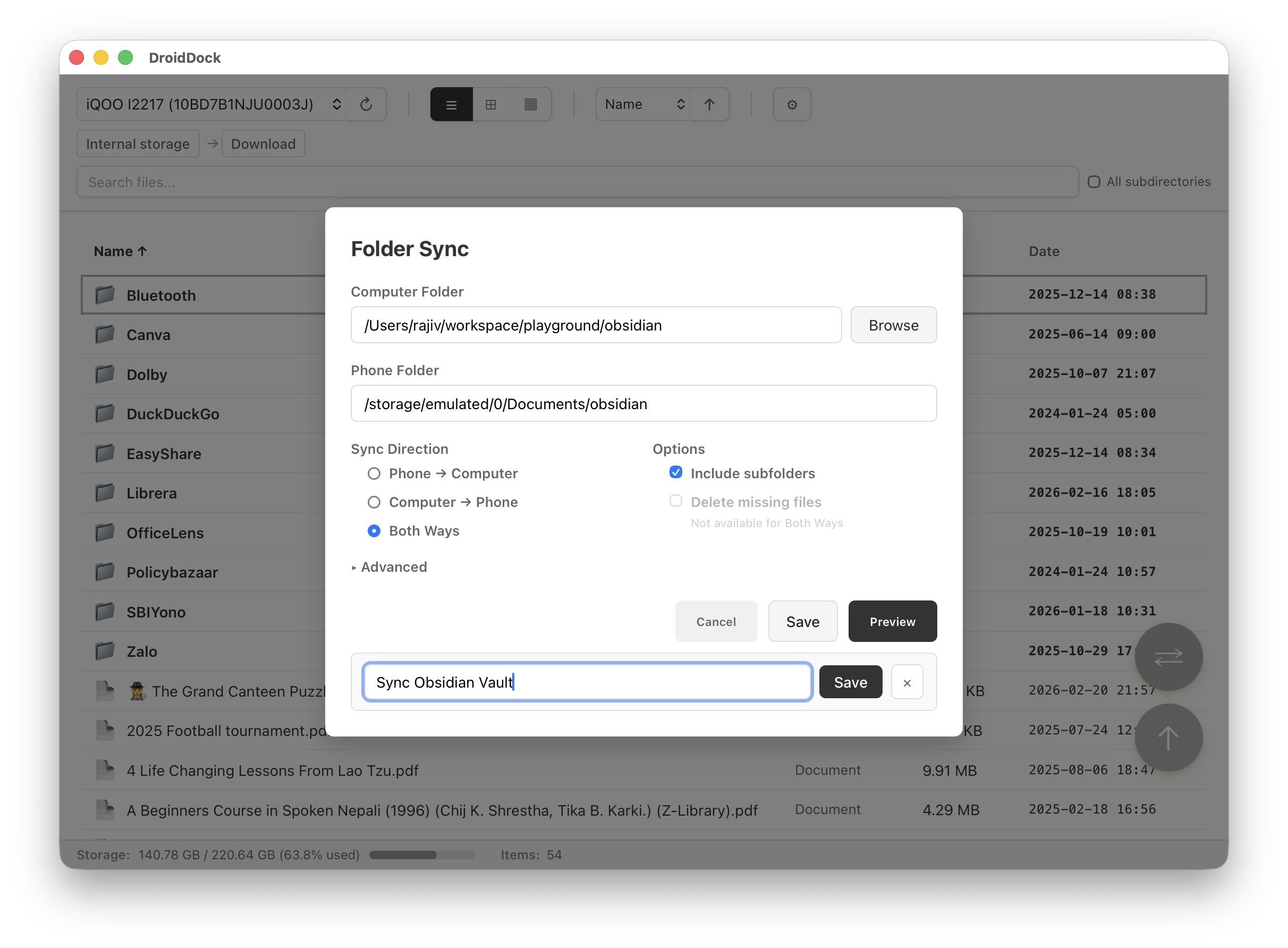
Saved Sync Configurations
Save and reload sync setups with one click
Download
macOS 10.15+ • Universal Binary (Apple Silicon + Intel)
Or install via Homebrew:
brew tap rajivm1991/droiddock && brew install --cask droiddock
Full Changelog
v0.4.1 - February 2026
Added
- Saved sync configurations — name, save, and reload sync setups
- Root
/button in list and grid view breadcrumb
Fixed
- "Internal storage" button now navigates to the actual detected storage root
- Improved storage detection for MIUI/Android 12+ devices
- Clear error shown when internal storage path is inaccessible
- Improved sync dialog layout and consistency
- Improved Intel Mac compatibility with build verification
Support the Developer
DroidDock is free and open-source, built by one developer in their spare time. If it saves you time, a small donation means a lot!
☕ Buy Me a Coffee via PayPal