What's New in v0.4.0
Folder Sync
The headline feature of this release. Sync entire folders between your Mac and Android device in either direction. The sync dialog lets you configure exactly how the sync runs — choose what to exclude, filter by file pattern, and preview what will change before committing.
- Exclude system and metadata files automatically (e.g.
.DS_Store,Thumbs.db) - Exclude macOS AppleDouble resource fork files (
._*) - Filter by custom file patterns (include or exclude)
- Preserve file timestamps, including created timestamps
- Progress tracking with per-file status
Device Model Name in Selector
The device selector now shows the actual device model name (e.g. "Pixel 8 Pro") instead of just the ADB serial, making it easier to identify devices when multiple are connected.
New Keyboard Shortcuts
Cmd+I opens the sync dialog and Cmd+U opens the upload picker. All file browser shortcuts are now correctly disabled when a modal is open, preventing accidental navigation.
UI Improvements
- Improved dark mode breadcrumb colors
- Custom tooltips with better visibility across light and dark mode
- Consistent filename styling across table, grid, and column views
- Larger default window size
Screenshots
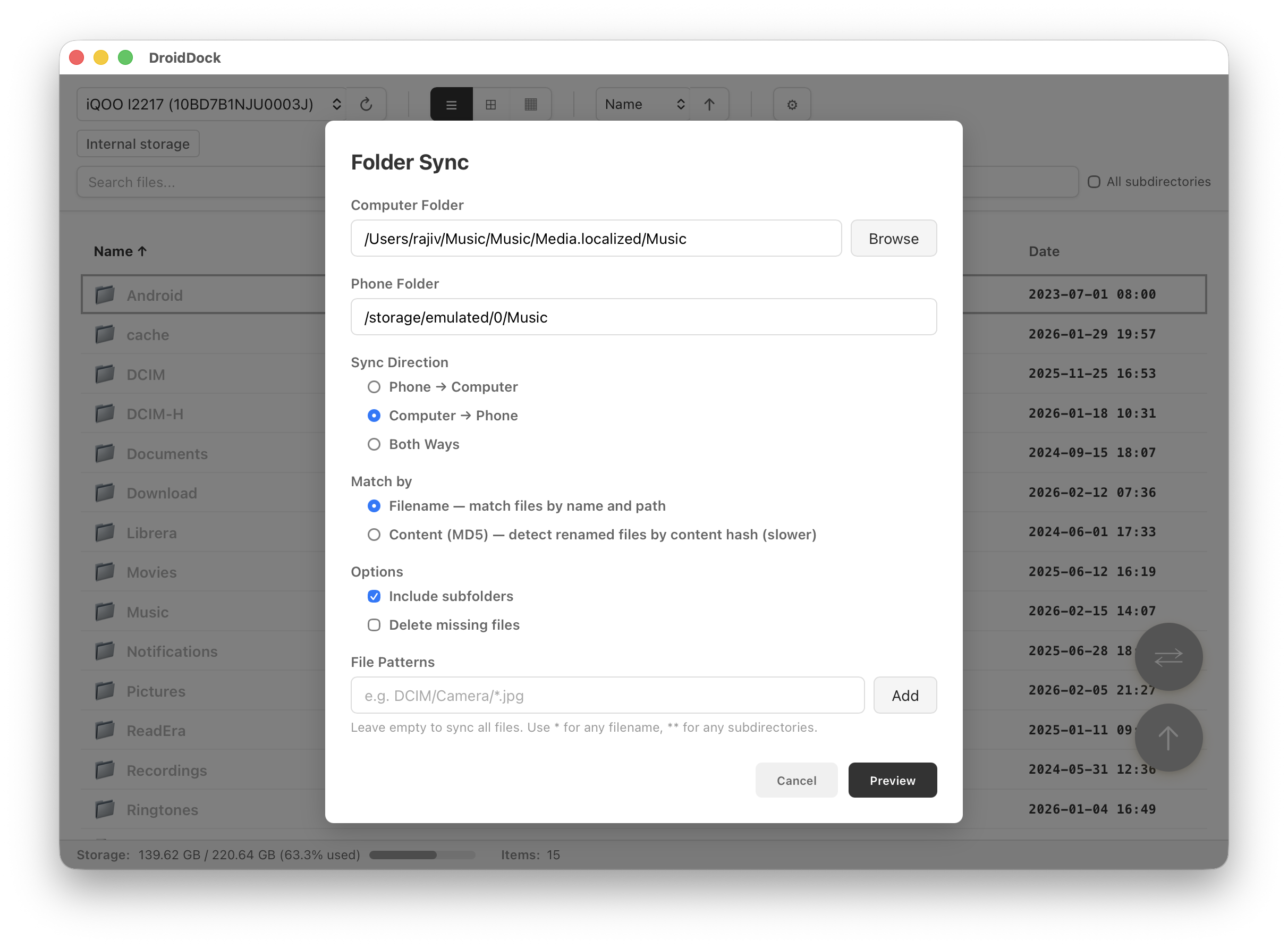
Folder Sync
Configure and run folder sync between Mac and Android
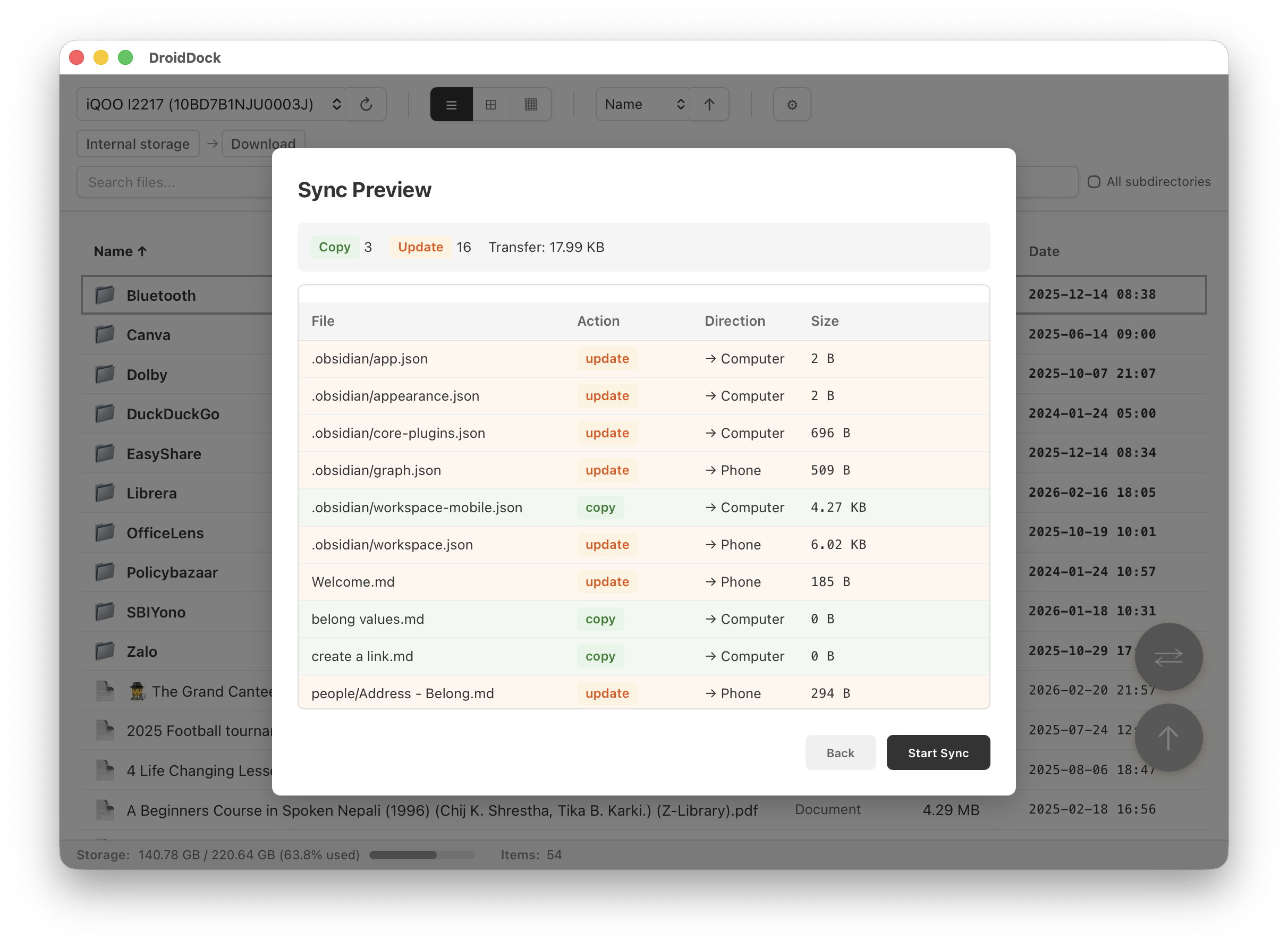
Sync Preview
Preview what will change before running the sync
Download
macOS 10.15+ • Universal Binary (Apple Silicon + Intel)
Or install via Homebrew:
brew tap rajivm1991/droiddock && brew install --cask droiddock
Full Changelog
v0.4.0 - February 2026
Added
- Folder sync between Mac and Android device
- File pattern filtering for sync (include/exclude patterns)
- Exclude system and metadata files from sync
- Exclude macOS AppleDouble resource fork files from sync
- Preserve file timestamps (created and modified) during sync and upload
- Device model name displayed in device selector
- Cmd+I shortcut for sync, Cmd+U shortcut for upload
Changed
- Reorganized sync options UI for clarity
- Increased default window size
- File browser shortcuts disabled when a modal is open
Fixed
- Dark mode breadcrumb colors
- Tooltip visibility in light and dark mode
- Consistent filename styling across table, grid, and column views
- Cmd+Delete behavior in text inputs
- Unreliable device file listing during sync