What's New in v0.2.x
File Previews
Press Space to preview images and text files without downloading them. Navigate between files using arrow keys in the preview modal.
Minimalist UI
Complete visual redesign with a clean 95% grayscale aesthetic. Better readability, consistent shadows, and seamless grouped controls.
Clickable Column Sorting
Click column headers (Name, Size, Date) to sort. Visual indicators show active column with arrows (↑/↓). Sort controls now in main header for better discoverability.
Kind Column
New "Kind" column in table view shows file types at a glance (Image, Video, Document, Audio, etc.).
Better Keyboard Navigation
Enhanced keyboard shortcuts: Space for preview, arrow keys in preview modal, Cmd+1/2/3 for view modes, Cmd+/Cmd− for zoom.
Screenshots
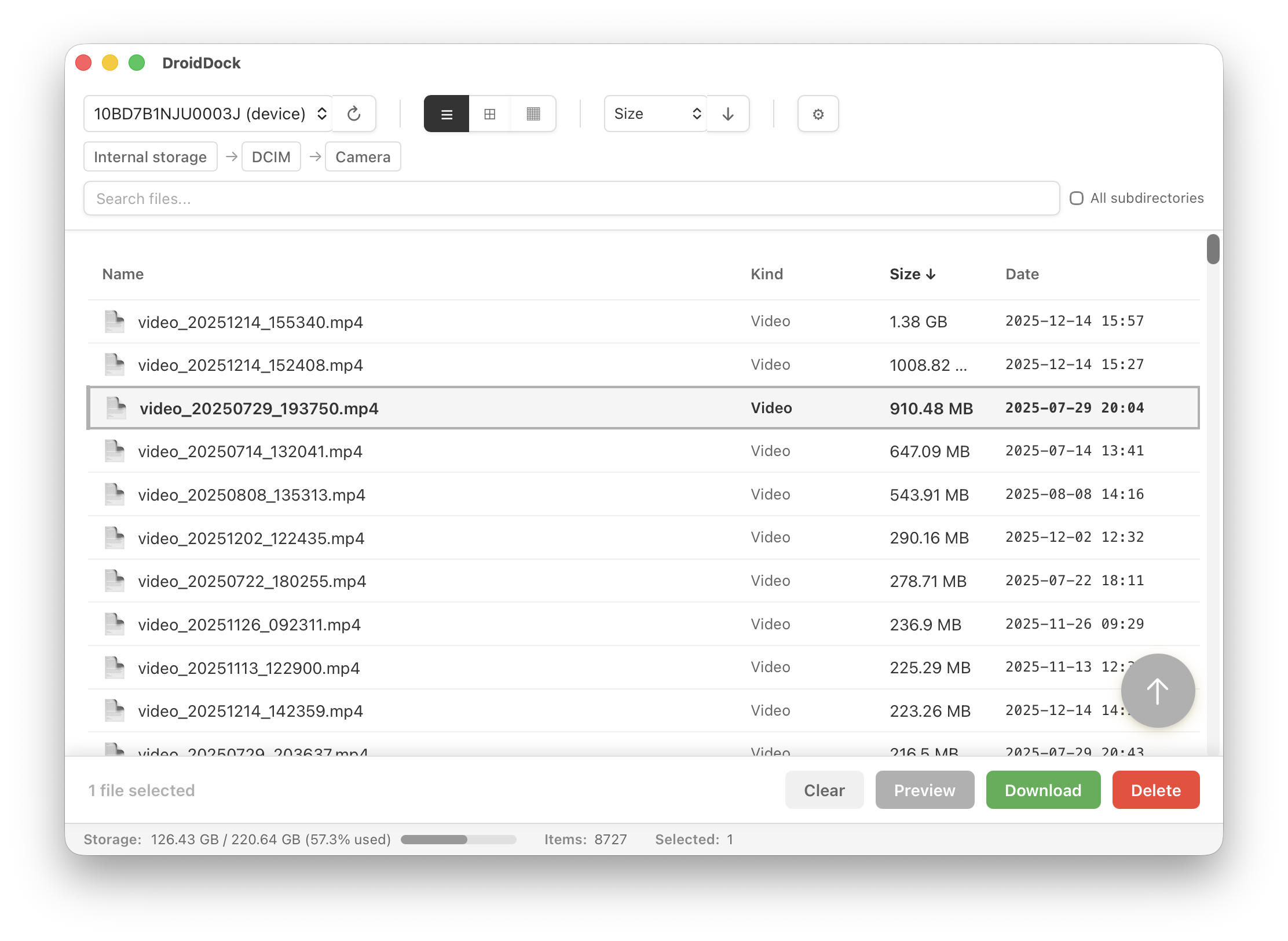
Minimalist UI Design
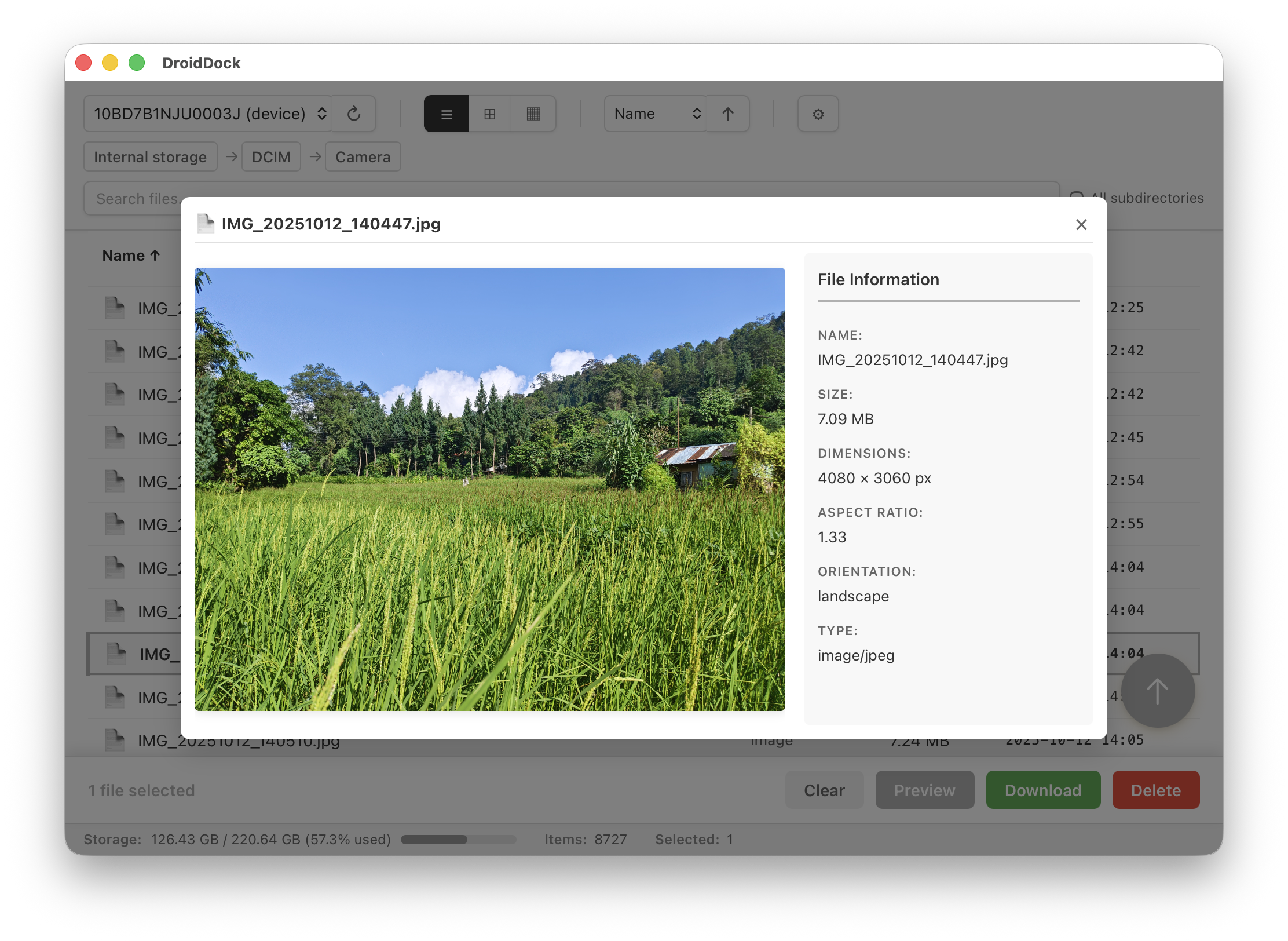
File Preview Modal
Download
Download DroidDock v0.2.1
macOS 10.15+ • Universal Binary (Apple Silicon + Intel)
Full Changelog
v0.2.1 - January 1, 2026
Added
- Clickable column headers for sorting
- Sort controls moved to main header
- Simplified zoom controls (2 buttons: − and +)
Changed
- Minimalist UI with 95% grayscale aesthetic
- New playful Android robot app icon
- Improved date column (monospace font, wider width)
- Unicode symbols instead of emoji
v0.2.0 - January 1, 2026
- File preview system (images + text)
- Keyboard navigation in preview modal
- Kind column in table view
- Enhanced keyboard shortcuts
- Simplified from 4 to 3 view modes